(rdataframep)=
# RDataframe or write the code?
[`RDataFrame`](https://root.cern/doc/master/classROOT_1_1RDataFrame.html) is
a ROOT class that does just one thing, but does it really, really well: It
goes through the entries in a ROOT file and does... well... _something_ with
each entry.
Using `RDataFrame`, each of the main Exercises in this tutorial (2
through 9) can be written in a few lines of code. You don't need to create
event loops with macros or analysis skeletons; the `RDataFrame` class
and its associated methods handle all of that.
If you want to just click through to {ref}`rdataframe` and get
started, go right ahead. However, my conscience demands that I offer
you some reasons to take {ref}`pythonpath` or {ref}`cpath` instead:
- As I said, `RDataFrame` is designed to loop through every entry
in an n-tuple. That describes a large portion of typical
physics analysis tasks. The whole _raison d'être_ of this tutorial
is to teach you exactly that.
However, that's not the only analysis task you may be asked to do this summer.
In fact, none of the {ref}`Advanced Exercises` or {ref}`Expert Exercises`
can be done in this way. So you may to take go through the coding
portions of this tutorial, in order to prepare you for more challenging tasks.
- The `RDataFrame` class is a relatively new addition to ROOT.[^f104] It's
possible your supervisor has never heard of it.
- It's easy to use to use `RDataFrame`... at first. There's point at
which you hit a {ref}`"wall" `: You suddenly have to understand about C++
functions and lambdas, even if you're doing your work
in Python.
To give you an idea how complex using `RDataFrame` can get,
consider these advanced examples in
[C++](https://root.cern.ch/doc/master/df103__NanoAODHiggsAnalysis_8C.html)
or
[Python](https://root.cern.ch/doc/master/df103__NanoAODHiggsAnalysis_8py.html);
they are from the [ROOT dataframe
tutorials](https://root.cern.ch/doc/master/group__tutorial__dataframe.html) and
demonstrate Higgs-boson reconstruction.
If you just glance at those examples, you'll confirm for yourself
that `RDataFrame` doesn't keep you from learning how to code.
Now that I've scared you, let's look at the reasons to use `RDataFrame` for this tutorial:
- Some students have had difficulty getting through
{ref}`pythonpath` or {ref}`cpath` portions of the tutorial in
the time we have available. If you do the {ref}`rdataframe`,
you're almost guaranteed to complete the whole thing.
- Although I only show examples using the n-tuple `tree1`, you can
also use other file formats as input to dataframes; e.g., TTrees and
CSV files.
- It's easy to make `RDataFrame` {ref}`multi-threaded `, which can greatly
speed up the execution time of its operations.
If you're ambitious, you might consider working through
{ref}`pythonpath` or {ref}`cpath` up to Exercise 10, then do
{ref}`rdataframe`. After doing Exercises 2 through 9 using code, doing
the same Exercises using `RDataFrame` will take very little time.
:::{figure-md} data_trap-fig
:align: center
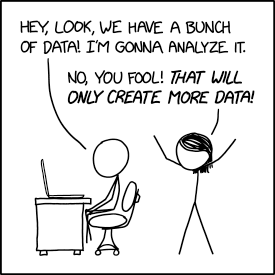 by Randall Munroe
:::
[^f104]: The current RDataFrame class was introduced in ROOT 6.14
(June 2018). From ROOT 6.10 to 6.12, the class was called
`ROOT::Experimental::TDataFrame`. Prior to 6.10, you won't find
dataframes in ROOT at all. Since this is an actively evolving
feature of ROOT, you'll want to check which version of ROOT your
collaboration uses.
The Nevis notebook server uses the latest stable
version of ROOT, but collaborations often stick with a particular
older ROOT version.
by Randall Munroe
:::
[^f104]: The current RDataFrame class was introduced in ROOT 6.14
(June 2018). From ROOT 6.10 to 6.12, the class was called
`ROOT::Experimental::TDataFrame`. Prior to 6.10, you won't find
dataframes in ROOT at all. Since this is an actively evolving
feature of ROOT, you'll want to check which version of ROOT your
collaboration uses.
The Nevis notebook server uses the latest stable
version of ROOT, but collaborations often stick with a particular
older ROOT version.