(lambda-expressions)=
# Lambda expressions in C++
I'd love to finish the topic of writing functions for `RDataFrame` in
C++ at this point, and move on to torturing the Python programmers
with what they have to put up with.
Unfortunately, I can't. The [RDataFrame
tutorials](https://root.cern.ch/doc/master/group__tutorial__dataframe.html)
make heavy use of C++ lambda expressions. In order for you to be able
to understand the code in those examples, I feel I have to review
this somewhat-esoteric coding practice.
:::{admonition} Not so fast, Python programmers!
:class: warning
I know you want to leap ahead to the next section. I don't blame you. Before
you do, there's a couple of things you should know that may influence your
choice:
- Even though there is usually an equivalent Python example for every C++
example in the [ROOT tutorials](https://root.cern.ch/doc/master/group__Tutorials.html),
sometimes there's only a `.C` file, probably because the Python equivalent is
not yet possible. You'll want to be able to interpret the C++ code so you
can figure out what it's supposed to do.[^comments]
- If you're a skilled Python programmer, you know that there are lambda expressions
in Python. Unfortunately, Python-based lambda expressions can't be used as
arguments to `Define` and `Filter`.[^work]
Now that you're informed, I leave it up to you to decide what to read.[^always]
:::
[^comments]: "Can't I tell what the C++ code is supposed to do from the comments?"
Oh, how I {ref}`wish ` that were true!
[^work]: At least, not in the current version as of the time of this writing
(ROOT 6.26), or not without a whole lot of extra code wrappers and decorators.
Frankly, it's not worth the effort.
[^always]: Of course, since I have no way to make you do anything, the
decision is always up to you!
A [lambda
expression](https://stackoverflow.com/questions/7627098/what-is-a-lambda-expression-in-c11)[^better]
is a way of defining a function without giving it a name. It's normally used for short functions to
make the code more convenient.[^long]
[^better]: I think that [this web page](https://www.programiz.com/cpp-programming/lambda-expression)
offers a better explanation of lambda expressions. However, it also includes an annoying
pop-up ad.
[^long]: I'll confess that I often write multi-statement lambda functions. I
do this because when I use the function in `RDataFrame` or an
iterative function like
[for_each](https://www.geeksforgeeks.org/for_each-loop-c/),
I feel it's helpful for the function to be defined right above the
C++ statement that's going to use it.
Here's an example of a lambda expression that defines how to calculate our old friend
**`pt`**:
:::{code-block} c++
auto pt_func = [](float x, float y) { return std::sqrt(x*x + y*y); };
:::
Compare this with {numref}`Listing %s `:
:::{code-block} c++
float pt_func( float x, float y ) {
return std::sqrt( x*x + y*y );
}
:::
Your first reaction may be that we're using a fancy syntax to do
exactly the same thing. But lambda expressions offer more than that:
They allow you to define a function within the body of the code, instead
of in a separate declaration before the current routine.
Let's break this down:
- `[]` means "this is a lambda expression."[^brackets]
- `(float x, float y)` - As with any function, we have to declare its
arguments.
- `{ return std::sqrt(x*x + y*y); }` - this is the body of the function, the
same as any other function.
- `;` - Don't forget the semi-colon at the end! To C++, this line is a statement,
not a function definition. It has to end with a `;` so the compiler will
recognize it.
- `auto` - You've seen me use the `auto` before, to let the compiler
do the work of specifying a complicated type.
- `pt_func` - The name I assign to this lambda expression.[^anon]
- If you're sharp of eye and mind, you may have noticed that we didn't have to
declare the return type of the function, the way we had to in {numref}`Listing %s `.
That's because the C++ compiler can automatically deduce the return type from
the type of the value in the `return` statement.[^not-always]
[^brackets]: It means something to put variable names within those
brackets, but this page is long enough, and I need room for the
xkcd cartoon. I'll let you learn this topic from doing a web
search on "c++ lambda capture".
[^anon]: Wait a second. I just said that lambda expressions are used to define
functions without giving them a name ({dfn}`anonymous functions`), and yet
here I am giving it a name.
I'm giving this lambda expression a name, `pt_func`, for the sake of
convenience. Read on; I'll show you a completely anonymous lambda
expression in a few paragraphs.
[^not-always]: This is not always true. If you looked at the web pages I linked
to above, or you do your own web search on "C++ lambda expressions", you'll
see examples in which you do have to declare a lambda expression's return type.
However, this is not likely to matter for functions that you'd write
for `RDataFrame`.
You can use this definition of `pt_func` in exactly the same way as in
{numref}`Listing %s `:
:::{code-block} c++
auto pt_func = [](float x, float y) { return std::sqrt(x*x + y*y); };
auto pt_dataframe = dataframe.Define("pt",pt_func,{"px","py"});
:::
Consider those two lines of code. I define `pt_func`, use it as an argument to
`Define`, then never use `pt_func` again. As an alternative, we can use
the lambda expression as an argument to `Define` to define an anonymous function:
:::{code-block} c++
:name: c-anon-define
:caption: An example of a completely anonymous lambda expression
auto pt_dataframe = dataframe
.Define("pt",
[](float x, float y) { return std::sqrt(x*x + y*y); },
{"px","py"} );
:::
I've inserted some line breaks to separate the arguments to `Define`.
This may seem like a bit much. But it's the sort of expression that
you'll see in the [RDataFrame
tutorials](https://root.cern.ch/doc/master/group__tutorial__dataframe.html)
(though without the convenient line breaks).
Using lambda expressions in this way makes more sense with `Filter`:
:::{code-block} c++
:name: c-anon-filter
:caption: Using a lambda expression with `Filter`
auto ptcut_dataframe = pt_dataframe
.Filter( [](float e){ return e < 145; }, {"pt"} );
:::
It's not all that different from what we used before:
:::{code-block} c++
auto ptcut_dataframe = pt_dataframe.Filter("pt < 145");
:::
:::::{admonition} I feel a need. The need for speed!
:class: note
There is a reason why the ROOT tutorials use lambda expressions so
often: speed.[^slick] As I noted before, compiled code is faster
than "jit"ed code. If you're working with a C++ notebook, you can
easily see this for yourself: Create two new notebooks and put in the
following:
[^slick]: It has nothing to do with the ROOT developers' need to
demonstrate how cool they are. Of course not.
Now, if you'll excuse me, I've got to go write another
smart-aleck footnote or stick another xkcd cartoon somewhere.
:::{code-block} c++
:name: c-notebook-jit
:caption: The C++ notebook for testing the speed of jit-ed code
// In the first cell, copy-and-paste:
ROOT::RDataFrame dataframe("tree1","experiment.root");
TCanvas canvas;
auto pt_hist = dataframe.Define("pt","sqrt(px*px + py*py)").Histo1D("pt");
// In the second cell, copy-and-paste:
%%time
pt_hist->Draw();
:::
:::{code-block} c++
:name: c-notebook-lambda
:caption: The C++ notebook for testing the speed of compiled code
// In the first cell, copy-and-paste:
ROOT::RDataFrame dataframe("tree1","experiment.root");
TCanvas canvas;
auto pt_calc = [](float x,float y) { return std::sqrt(x*x+y*y); };
auto pt_hist = dataframe.Define("pt",pt_calc,{"px","py"}).Histo1D("pt");
// In the second cell, copy-and-paste:
%%time
pt_hist->Draw();
:::
Run both notebooks. Bear in mind that this speed difference would be
even greater if {file}`experiment.root` were larger in both number of
rows and number of columns.
:::::
:::{figure-md} excel_lambda-fig
:class: align-center
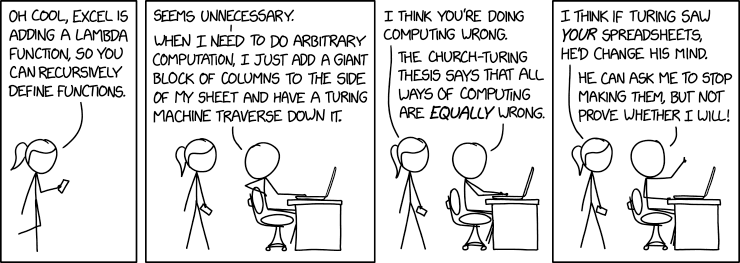 by Randall Munroe
:::
by Randall Munroe
:::