More to explore
More on histograms in Python
In 2026, some additional tools came to my attention that relate to Python-only methods of creating histograms and analyzing data.1
numpy.histogram can be used to make histograms of a numpy array or other dataset. By itself, it doesn’t include features like the computation and propagation of error bars available with ROOT histograms, but it may be sufficient for basic work.
mplhep is a matplotlib extension for creating plots (histograms in particular) in the style preferred by high-energy physics groups.
UHI (for Unified Histogram Interface) provides a common interface for different histogramming libraries, including ROOT, numpy.histogram, boost.histogram, and hist. Here are some ROOT-related examples.2
In April 2026 CERN presented an advanced ROOT course that goes into more detail about UHI, RNtuple, RooFit, and other topics that I don’t cover in this tutorial.
numpy.histogram, mplhep, and UHI should be available on all the Python installations I’ve prepared at Nevis.
uproot
As opposed to The RDataframe Path, let’s go to the other end of the spectrum: ROOT I/O without using ROOT.
The Python uproot package reads ROOT files using Python and some commonly-used packages: numpy, awkward, and pandas.
Uproot is particularly handy if you were already a Python expert before taking this ROOT tutorial, and would rather not have to touch ROOT again if you can help it.
I’ve installed uproot in the Python installations available at Nevis.3
coffea
The coffea package is a column-based analysis system specifically designed for high-energy physics. I think of it as a Python-only equivalent to RDataFrames.
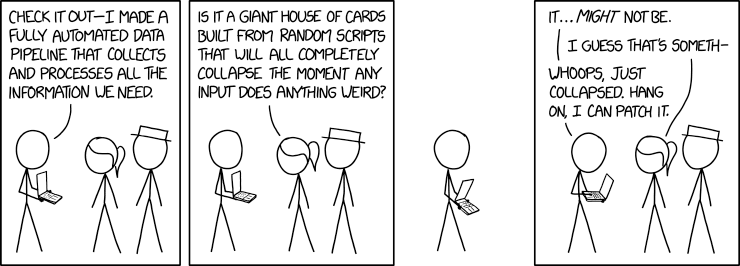
Figure 75: https://xkcd.com/2054/ by Randall Munroe. Hopefully your use of ROOT data will be more rational.
- 1
As a C++ user, I’m not sure whether these tools make it easier for a Python user to create histogram and analyze datasets. To me the syntactic complexity of using them rapidly approaches the complexity of using ROOT within C++
If you’re a Python user, especially one familiar with ellipsis notation, you may find that you’re more comfortable with these packages.
- 2
Over the years, I’ve seen “wrappers” of this sort around ROOT and other histogramming packages. None have survived the test of time; I doubt you’ll find many who still use AIDA, for example.
However, you should be skeptical of my attitude. I tend to see using Python to invoke ROOT methods as a wrapper. If you’re a Python user, look for yourself and make your own judgement.
- 3
I’ve played around with uproot. My initial (and highly-biased) opinion is that you have to be a full dues-paying member of the “ROOT-haters club” to do a serious ROOT-based analysis using uproot. For the kinds of simplistic analyses that I present in this tutorial, uproot is fine. But if you want to do work like that described in Exercise 15, the uproot code may be even more cryptic than the equivalent pyroot-based code.
Another possible pitfall is that one has to think carefully about when uproot performs the event loop. As I described in Lazy Evaluation with
RDataFrame, it’s possible to invoke uproot operations in the wrong order and get very inefficient code.According to the uproot development page, uproot is primarily intended as a way to reorganize data in ROOT files into a form suitable to pass on to machine-learning libraries. From what I see of the package, its benefits (and limitations) are well-suited for that purpose.